Free App Store screenshot generator, at Apple's exact sizes
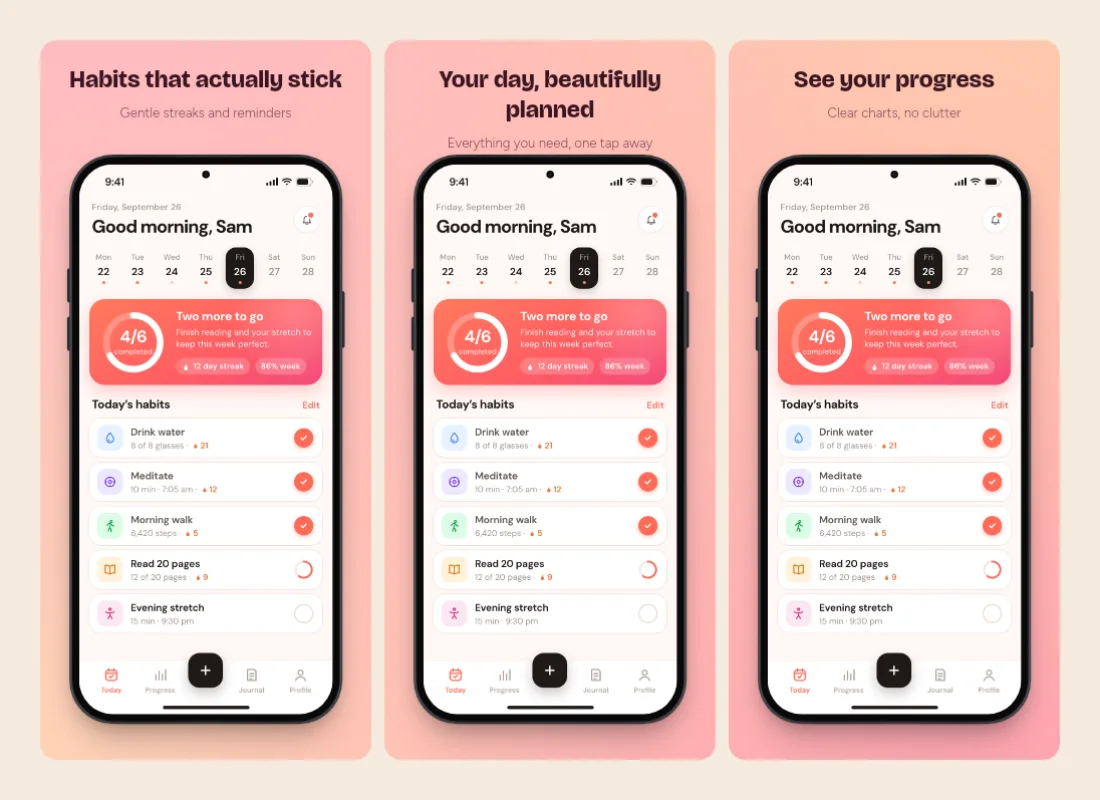
Build a set of 3 to 10 App Store screenshots with headlines, your screens in a phone or tablet frame, and one style across all of them. Export a ZIP of PNGs App Store Connect accepts.
or paste one — they fill the slides of a set, in order
How to make App Store screenshots
Add your screens
Drop your app screenshots above, or open App Store mode and add them slide by slide.
Write the headlines
Each slide has a headline and a subhead. Pick a style and it applies to every slide at once.
Export the set
Choose the size and download every slide as a PNG in one ZIP, ready for App Store Connect.
Sets made in App Store mode
Open App Store mode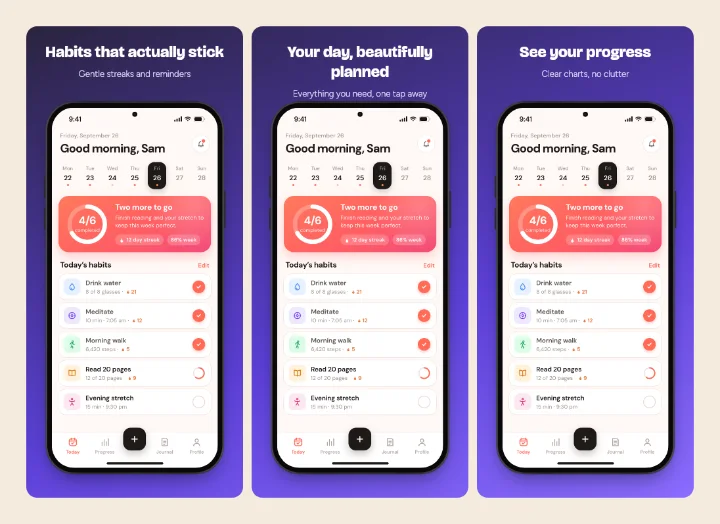
What you can do with it
App Store mode is a small, focused tool: a set of slides that share one design, at a size Apple accepts.
A first set for a new app
Five slides with a headline each is enough for a launch. Start from the example headlines and replace them.
iPad screenshots
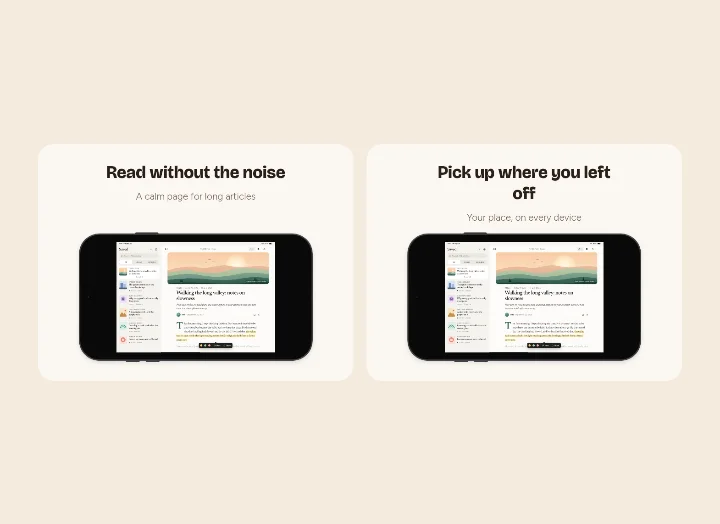
Switch the size to iPad 13", 12.9" or 11" and the frame becomes a tablet. Landscape works too.
A background that flows
Turn on the flowing background and it's painted across all slides, so the set reads as one strip in the store.
Refreshing an old set
Drop in new screenshots over the old ones; headlines and style stay as they were.
Wide screenshots in a phone
A landscape screenshot can be cropped to a phone shape on a slide, so you can show one part of a larger screen.
Store listing images elsewhere
Use the same slides on your website or in a Product Hunt gallery; export them again at another size.
App Store screenshot sizes (2026)
These are the sizes Shotcandy exports, from Apple's screenshot specifications. Apple accepts a few other sizes for some displays too.
| Display | Portrait (px) | Landscape (px) |
|---|---|---|
| iPhone 6.9" | 1320 × 2868 | 2868 × 1320 |
| iPhone 6.5" | 1284 × 2778 | 2778 × 1284 |
| iPhone 6.3" | 1206 × 2622 | 2622 × 1206 |
| iPhone 5.5" | 1242 × 2208 | 2208 × 1242 |
| iPad 13" | 2064 × 2752 | 2752 × 2064 |
| iPad 12.9" | 2048 × 2732 | 2732 × 2048 |
| iPad 11" | 1668 × 2420 | 2420 × 1668 |
Apple asks for iPhone screenshots at 6.9" (or 6.5" if you don't provide 6.9") and, if the app runs on iPad, at 13". Smaller displays use scaled copies of the larger ones unless you upload their own. You can upload 1 to 10 screenshots per size, as JPEG or PNG, with no transparency.
PNGs App Store Connect accepts
App Store Connect rejects images with an alpha channel. Shotcandy writes the set's PNGs without one, so rounded corners and shadows sit on the background colour instead of transparency, and the upload goes through.
Each slide is the exact pixel size of the preset. The ZIP names files by slide number and headline, like 01-habits-that-actually-stick.png, so they sort in the order you upload them.
Style every slide at once
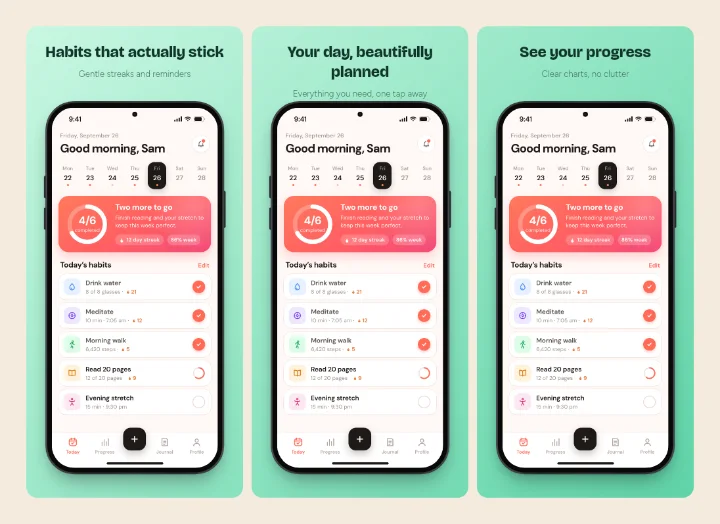
Six set styles (Sherbet, Grape Soda, Mint Julep, Aurora, Licorice and Paper) change the background, frame, shadow and text colours of every slide together. You can still set the headline font and size, put text above or below the device, align it left or centre, and let the device fit the slide or run off its edge. For single screenshots in the same styles, use the screenshot beautifier.
What it doesn't do
There are no Google Play sizes yet, no localisation of headlines, and no direct upload to App Store Connect. If you need those for many languages, a paid tool like AppScreens is built for it.
Free App Store screenshot tools compared
| Feature | Shotcandy | Screenshot Studio | AppScreens | AppLaunchpad | Screenshots.pro |
|---|---|---|---|---|---|
| Price | Free | Free | Free tier; Pro $25/mo or $99/yr | Free tier; Pro $29/mo or $15/mo yearly | Free Basic; from $19/mo |
| Free tier | Everything, 3 to 10 slides | Up to 10 slides | 5 screenshots, 1 project | Limited exports | All devices and templates |
| Account | None | None | Yes | Not listed | Sign-up button |
| Google Play sizes | No | Not listed | Yes | Not listed | Not listed |
| Localised headlines | No | Not listed | Pro | Pro (AI) | Standard plan |
| Open source | Yes, MIT | Yes, Apache 2.0 | No | No | No |
Checked on 30 September 2026 on each tool's own site (linked in the table). "Not listed" means we couldn't find it there. Prices and features change, so check before you decide.
App Store screenshot FAQ
Related tools
What size should App Store screenshots be?
For iPhone, 1320 × 2868 (6.9-inch) portrait or 2868 × 1320 landscape. For iPad, 2064 × 2752 (13-inch). Apple scales these down for smaller displays if you don't upload their own.
How many screenshots can I upload?
Apple allows 1 to 10 per display size. Shotcandy sets have 3 to 10 slides.
Why was my PNG rejected by App Store Connect?
Usually because it has an alpha channel (transparency). Shotcandy's App Store exports are saved without one.
Is it really free, with no watermark?
Yes. There's no account, no plan and no watermark. The project is open source under the MIT license.
Are my app screenshots uploaded?
No. The slides are rendered in your browser, and the ZIP is built there too.
Can I make Google Play screenshots?
Not with a Play preset. You can export slides at an iPhone size and check them against Google Play's own rules, but there's no dedicated Play size yet.
Your next screenshot deserves better
Open App Store mode with a five-slide set ready to fill.