A free Screely alternative for window mockups
Screely made one thing easy: drop a screenshot, get it in a browser window on a nice background. Shotcandy does that too, for free and in your browser, and it's open source.
or drop a file — the editor opens with the browser frame ready

Get a Screely-style mockup in three steps
Paste
Paste or drop a screenshot above. The editor opens with a browser frame on.
Set the window
Type your site's address into the address bar, or switch to a macOS window with a title. Pick Light, Dark or Auto.
Export
Copy it, or download PNG, JPEG or WebP up to 4×.
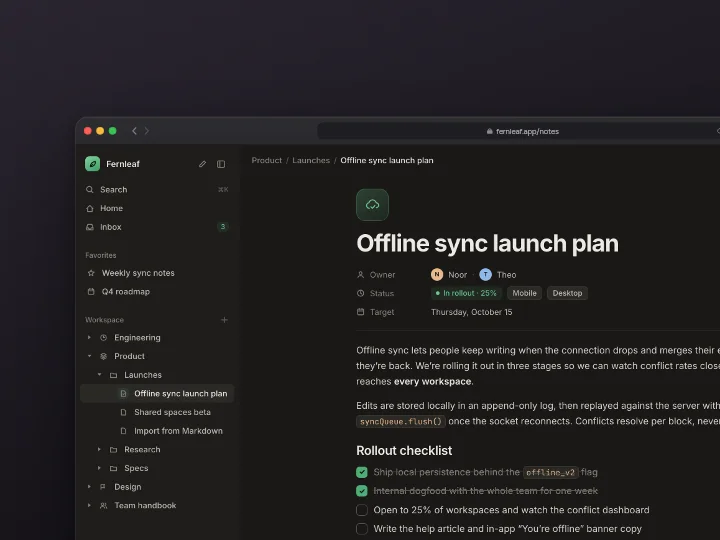
Made with this tool
See all 42 styles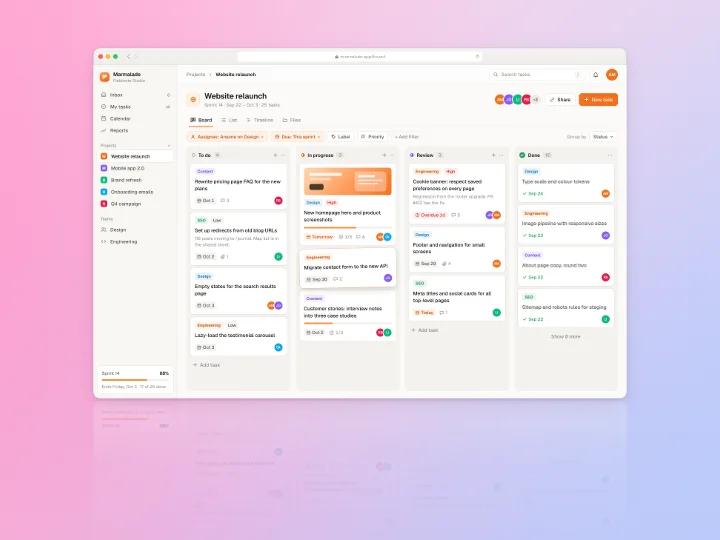

What happened to screely.com?
When we checked on 30 September 2026, screely.com no longer served the screenshot tool. The domain showed an unrelated Thai-language site about football betting. If a bookmark or an old blog post sent you there, that's why it looks different.
A tool called Screely now lives at screely.app. Its about page says it's built and maintained by an independent developer under the Aticmatic name. The site doesn't say whether it's connected to the original Screely. It's free, processes images on your device, and has a Chrome extension that captures and records browser tabs.
When Screely is the better pick
- You want to capture straight from Chrome. Screely's extension grabs a tab, a selection, an element or a full page, so there's no separate screenshot step.
- You want to record a browser tab (its extension records up to 3 minutes).
- You need a Windows-style window frame or a PDF export.
When Shotcandy is the better pick
- You want more than a window. Six frames (macOS, browser, phone, tablet, laptop, design canvas), 3D tilt, and styles that preview on your own screenshot.
- You have a folder of screenshots. Style up to 100 at once and export a ZIP. See the batch editor.
- You want several screens in one image. See multi-screen mockups.
- You work with video files. Drop in an MP4, MOV or WebM recording, give it a window and background, and export MP4, WebM or GIF.
- You want the source. Shotcandy is MIT licensed and can be self-hosted as a static site.
The browser frame
The browser frame draws a toolbar with window buttons, back and forward arrows and an address field. Type any address and it appears with a padlock, trimmed to fit. It has light and dark themes, and Auto picks one from your screenshot. If you prefer the Mac look, the macOS window frame has a title bar with an optional title instead.
Taking the screenshot first
Without an extension, the screenshot comes from your system. Copy it to the clipboard and paste it straight into the editor:
- Mac: ⌘ ⇧ ⌃ 4 copies a selection; press Space after it to copy one window.
- Windows: Win ⇧ S opens the Snipping Tool and copies what you pick.
- A whole web page: in Chrome's developer tools, run "Capture full size screenshot" from the command menu, then drop the file in. Very tall pages are shown from the top, with a soft fade, unless you ask for all of it.
Shotcandy vs Screely
| Feature | Shotcandy | Screely |
|---|---|---|
| Price | Free | Free |
| Account | None | None, it says |
| Where your image goes | Stays in your browser | Processed on your device, it says |
| Open source | Yes, MIT | Not stated |
| Window frames | macOS, browser | macOS, Windows |
| Device frames | Phone, tablet, laptop | Not listed |
| Capture from the browser | No, paste or drop | Yes, Chrome extension |
| Many screenshots at once | Yes, up to 100 | Not listed |
| Video | Style recordings; MP4, WebM, GIF | Record a tab (extension) |
| Export | PNG, JPEG, WebP up to 4× | PNG, PDF |
Checked on 30 September 2026 on each tool's own site (linked in the table). "Not listed" means we couldn't find it there. Prices and features change, so check before you decide. Screely's Chrome extension is listed on the Chrome Web Store.
Screely alternative FAQ
Related tools
Is screely.com still the screenshot tool?
Not when we checked on 30 September 2026. The domain showed an unrelated site. A tool called Screely is now at screely.app.
Is Shotcandy free like Screely?
Yes. No account, no watermark, no paid plan. It's open source under the MIT license.
Can I set the URL in the browser frame?
Yes. Type any address into the frame's field in the side panel and it shows in the address bar.
Does Shotcandy have a Chrome extension?
No. Take the screenshot however you like (your system's shortcut works), then paste it. On a Mac, ⌘⇧⌃4 copies a selection straight to the clipboard.
Does it work on Windows?
Yes. It runs in any modern browser. On Windows, Win+Shift+S copies a screenshot you can paste straight in.
Your next screenshot deserves better
Open the editor with a browser frame ready.